Select Team Roster for the Season
The Game automatically selects the optimal team roster for the season according to team members skills and the game algorithm to calculate possible results. But you might like to change the default team roster for Women's or Men's teams according to your preferences. It is possible to do it only at the beginning of the new season.
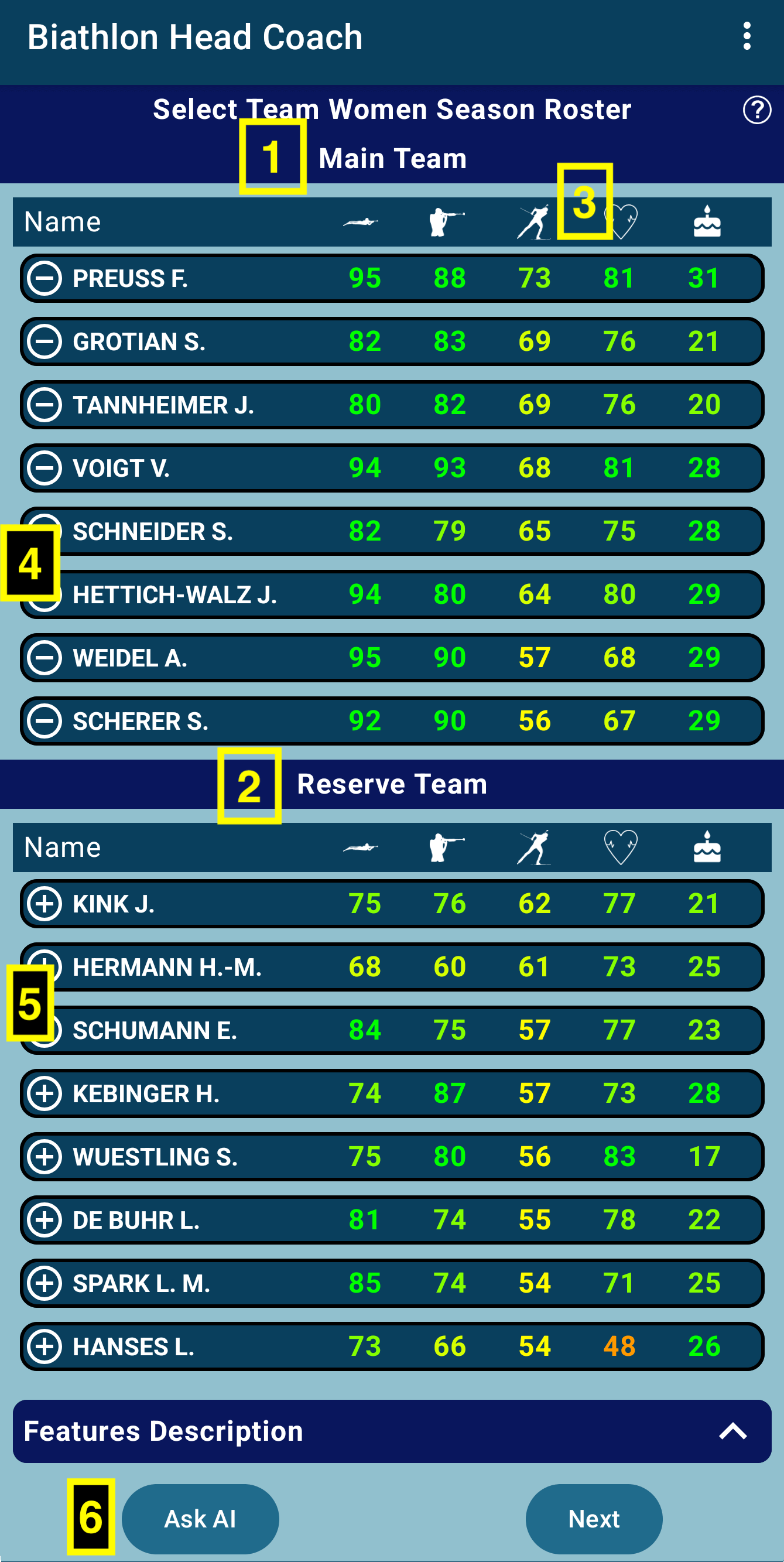
- (1) Top/Left part of the screen - list of Main Team members. During the season, these biathletes will participate in World Cup, World Championship, and Olympic competitions. It will be the team that you will manage.
- (2) Bottom/Right part of the screen - list of Reserve Team members. You will not use them during the season. When the season is finished, some of them can be moved to the main team.
- (3) By default, team members are sorted by first skill - Shooting Prone accuracy. Tap on the other header icon to sort the list by Shooting Stand, Ski Speed, Stamina, or Age.
- (4) To remove person from Main Team tap on (-) MINUS button
- (5) To add person to the Main Team tap on (+) PLUS button
- (6) To reset the list to default, you can click on the Ask AI button, and the system will select an optimal team roster automatically.
Finally, the number of main team members must be according to the team quota for the season, which depends on the place in last season's Nations Cup. Teams from the top-5 can have 6 persons for each World Cup race, from 6th to 10th place - 5 persons, and so on. The number of team members for the season is +2 to the races quotas. So, the best teams have a quota for the season = 8 (6+2) members. You will be able to confirm the team list only if the number of Main Team members is exactly according to the team quota.
Some teams might not have anyone in Reserves; in this case, you can’t change the main team's default roster.